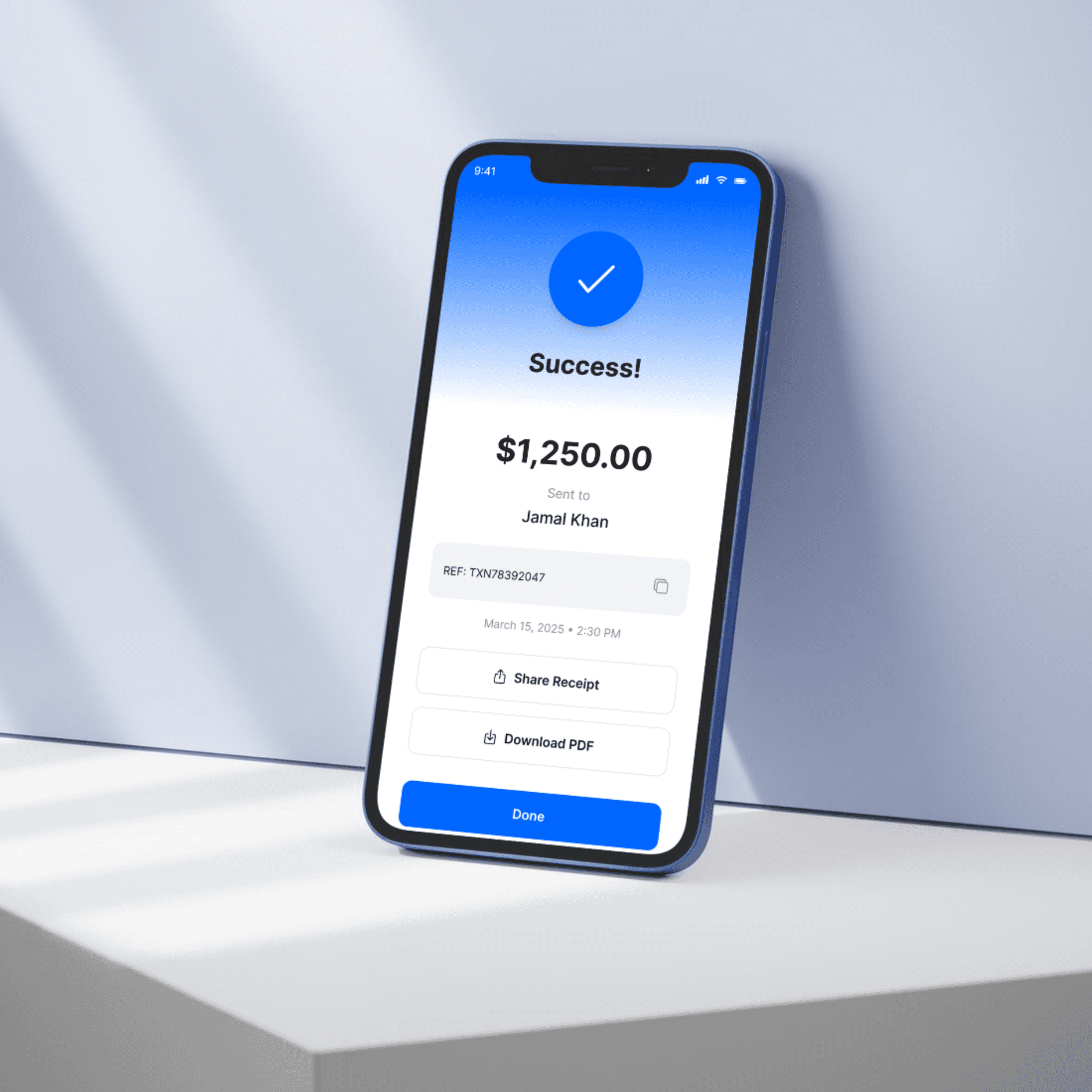
Creating a Banking Mobile App requires a focus on security, user experience, and seamless financial transactions. The app should not only provide banking services but also ensure that users feel confident while managing their finances. Below is a concept for a Banking Mobile App that combines functionality with a sleek design:
My Approach for Banking Mobile App
The design of the Banking Mobile App focuses on creating a secure, efficient, and easy-to-use experience for customers. Every feature—from transaction history and fund transfers to security settings and customer support—is designed to help users manage their finances efficiently, while ensuring their personal information remains protected. The design balances professionalism with modern, intuitive UI to make managing money feel secure and effortless.
Vision and Innovation for Banking Mobile App
The vision behind this app is to empower users to manage their financial lives with ease, security, and convenience. By integrating cutting-edge security features with intuitive user experience and modern UI design, this banking app simplifies daily banking tasks like transferring money, checking account balances, and paying bills, while ensuring user trust through robust encryption and multi-factor authentication.
Key features include instant transfers, bill payments, budget tracking, real-time notifications, and account management, all available at the users’ fingertips.
Identifying Unique Challenges in Banking Mobile Apps
Banking mobile apps face the challenge of being secure, functional, and user-friendly all at once. Key challenges include:
User Trust and Security: Users need to feel confident that their sensitive financial data is safe. The app must be highly secure, using features like biometric authentication, encryption, and multi-factor authentication.
Easy Navigation: With complex services, it’s crucial to design a navigation system that’s simple, ensuring that users can perform transactions or access information with minimal effort.
Real-time Updates: The app must provide real-time updates about transactions, balances, or account activities to keep users informed at all times.
The app addresses these challenges by providing clear, actionable content, easy-to-use interfaces, and transparent security protocols.
Resolving Complex Problems for Banking Mobile Apps
Security: The app uses multi-layer encryption, biometric authentication (Face ID/Touch ID), and real-time fraud alerts to ensure that user data is always protected.
Transaction Speed: Instant fund transfers, bill payments, and quick access to financial data ensure that users can carry out tasks in real-time without delays.
User Support: The app integrates 24/7 live chat support and AI-driven assistance, so users can easily resolve any issues they encounter while using the app.
User-Centric Design for Banking Mobile App
Easy-to-Use Dashboard: The home screen provides users with quick access to their account balance, recent transactions, quick transfers, and upcoming bills.
Quick Actions: Key actions like transferring money, paying bills, or checking account balances are easily accessible with one-tap buttons.
Personalized Experience: The app offers personalized recommendations based on spending habits, showing users how to save money or keep track of their budget.
Secure Logins: The app integrates biometric login (Face ID/Touch ID) for a faster and more secure experience.
Transaction History: Users can easily search through transaction history, filter by category, and quickly find information about specific payments or transfers.
Meeting User Needs for Banking Mobile App
In today’s fast-paced digital world, banking apps need to meet user needs for efficiency, security, and reliability. The app addresses these needs by offering:
Instant Fund Transfers: Users can transfer money in real-time to anyone, anywhere with just a few taps.
Bill Payments: The app allows users to pay their bills directly from their bank account and set reminders for due dates.
Budget Management: The app provides tools to track spending habits and manage personal finances with insights into how users can save.
Real-Time Notifications: The app keeps users informed with real-time alerts about transactions, account changes, and security-related activities.
Customer Support: The app offers access to 24/7 live chat and AI-driven support to resolve any banking-related issues quickly.
Detailed Pages and Features for Banking Mobile App
Home/Dashboard Page:
The home page shows the user’s account balance, recent transactions, and a summary of their finances.
Includes quick access to frequent transactions, bill payments, and fund transfers.
Account Overview:
View detailed transaction history and filter by date, category, and type.
Option to download monthly statements or export transaction data.
Fund Transfer Page:
Transfer funds between accounts or to external recipients.
Quick Transfer options for commonly used accounts.
Security: Two-factor authentication (2FA) for all transactions.
Bill Payments:
Pay utility bills, credit card bills, or set up automatic payments.
Bill due notifications to remind users about upcoming payments.
Budget and Finance Tracker:
Track spending by category (e.g., groceries, entertainment, travel).
Set a monthly budget, view spending trends, and receive tips to help users save money.
Customer Support Page:
Live Chat for immediate support.
FAQ section for troubleshooting common issues.
Contact Information for further assistance.
Security Settings Page:
Enable/Disable biometric authentication (Face ID/Touch ID).
Change PIN, activate 2FA, and view security alerts.
Settings:
Language preferences, notifications, account settings, and app theme customization.
Option to lock account or enable suspend function for account security.
Accessibility and Optimization
A11y Optimized: The app follows universal design principles to make it accessible for all users, including compatibility with screen readers and color contrast considerations.
Fast Performance: The app is optimized for quick load times, even on lower-end devices, ensuring a smooth experience.
SEO Optimized: The app uses SEO best practices to ensure users can easily find the app on app stores and search engines.
Conclusion for Banking Mobile App
This Banking Mobile App is designed to deliver convenience, security, and efficiency for users while managing their finances. With a user-centric interface, robust security features, and real-time capabilities, the app offers everything a user needs to manage their banking, payments, and budgets on the go. Whether it's quick fund transfers, bill payments, or secure logins, the app provides a smooth and secure way for users to take control of their financial health.